A local Markdown workspace for your PDFs
Keep the converter one toolbar click away when you work with papers or documentation. It opens in its own tab, so there is room to review the extracted text before putting it in your notes.
Requires desktop Chrome 128 or later.
Chrome on phones doesn’t support extensions. Open this page on a computer to install it.
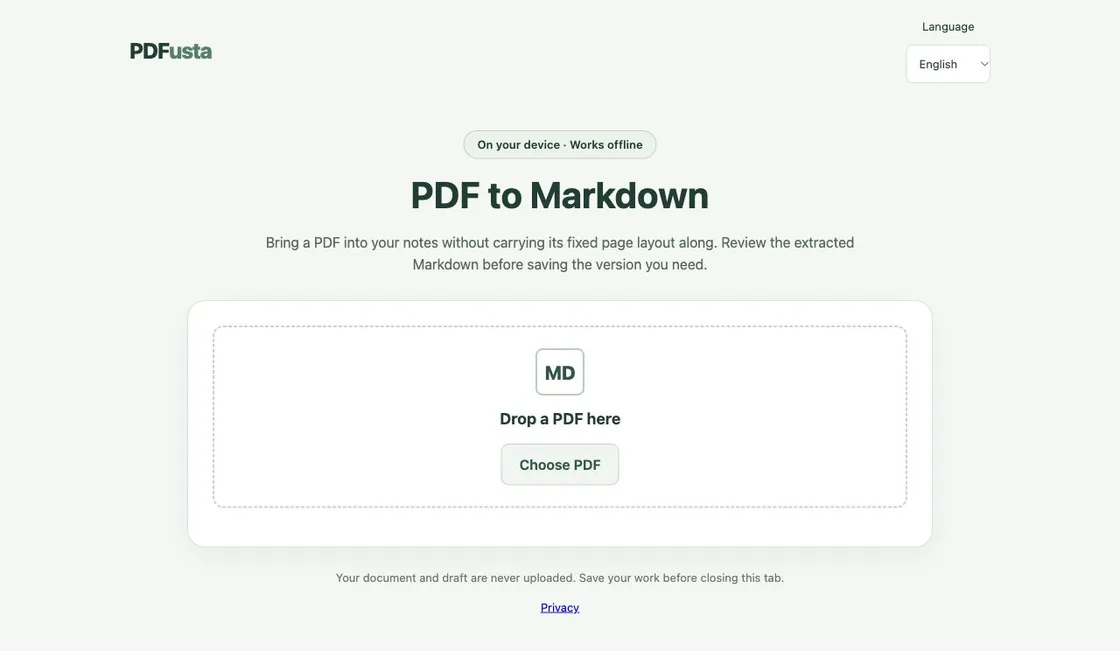
Make your first draft
- Install from the Chrome Web Store, then click the PDFusta toolbar icon to open its tab.
- Choose a text PDF and a page range. Repeated running headers and footers can be removed if needed.
- Edit the draft, then copy it or download an .md file containing your changes.
Offline by design
The PDF engine, worker, fonts and character maps ship with the extension. No upload, account or usage analytics is involved. Only your language choice is kept locally; save your work before closing the tab.
A draft you can correct
Headings and lists are inferred from text geometry. Column reading order is approximate, particularly on intricate layouts. Compare the result with the original rather than treating extraction as a faithful reproduction.
Before choosing a file
Accepts text-based PDFs up to 25 MB and 100 pages. There is no OCR, table reconstruction, image or equation transfer, or preservation of link destinations. Some Arabic source encodings can affect letter order.
Extension privacy policy